
Download LoadMyTracks – GPS to KML Converter for Mac
Overview
LoadMyTracks is a lightweight, Mac‑only utility designed for anyone who needs to turn raw GPS data into KML files that can be visualised in Google Earth. First introduced in 2006, the program has evolved through modest updates, with the latest version 1.4 released on 6 April 2010. Though it sits in the Science & Education category under Geography, its practical value extends to hikers, cyclists, surveyors, and educators who want a fast, secure way to share location tracks without the overhead of larger GIS suites. The trial version is free to download, runs on macOS X and earlier Mac OS releases, and is distributed exclusively in English. With a modest footprint—far smaller than many competing tools—LoadMyTracks remains an attractive option for users who prefer a no‑frills, reliable conversion process.
Key Features
- Direct GPS‑to‑KML conversion – Import GPX, TCX, or other common GPS formats and export instantly to KML.
- Google Earth ready output – Generated KML files retain timestamps, altitude data, and track segmentation, ensuring seamless import into Google Earth.
- Batch processing – Convert multiple files in a single session, saving time for field teams handling large datasets.
- Minimal system requirements – Uses less disk space than most GIS applications, making it ideal for older Mac hardware.
- Simple user interface – Drag‑and‑drop workflow eliminates the need for complex menus or scripting.
- Secure trial version – No hidden fees; the trial provides full functionality for evaluation before purchase.
- Automatic updates – The app checks for the latest version on launch, ensuring users stay current with bug fixes.
Beyond the core conversion engine, LoadMyTracks includes a built‑in preview window that lets you inspect the track before exporting. This visual confirmation reduces errors and speeds up the workflow, especially when dealing with multi‑segment routes or when precise waypoint placement matters. The software also supports custom naming conventions for output files, allowing you to embed project codes or dates directly into the filename.
Installation, Usage & Compatibility
Step‑by‑Step Installation
- Visit the official LoadMyTracks download page and click the Download Free Trial button.
- Once the .dmg file is saved, double‑click to mount the disk image.
- Drag the LoadMyTracks icon into your
/Applicationsfolder. - Open the application; macOS may prompt you to confirm that you trust the developer—click Open.
- The trial will launch automatically, and you can start converting GPS files immediately.
How to Convert a GPS File
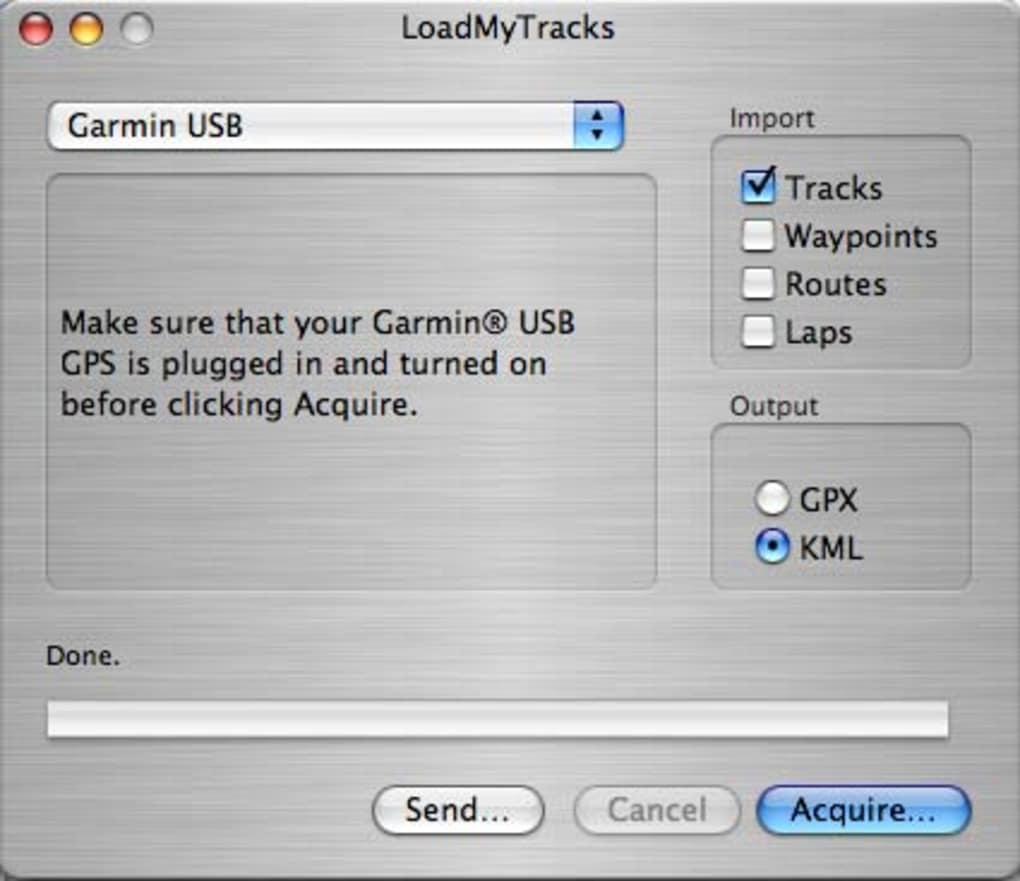
After launching LoadMyTracks, simply drag your .gpx, .tcx, or .fit file onto the main window. The software reads the file, displays a quick map preview, and presents two buttons: Export to KML and Export to KMZ (compressed). Choose your preferred format, select a destination folder, and click the export button. The conversion completes in seconds, even for files with thousands of points.
System Compatibility
LoadMyTracks is built exclusively for macOS X and earlier Mac OS releases. The software runs smoothly on Intel‑based Macs and has been tested on macOS 10.5 (Leopard) through macOS 10.9 (Mavericks). While it does not have native support for Apple Silicon, it operates under Rosetta 2 on M1/M2 machines without performance penalties.
Because the application is a standalone .app bundle, it does not require additional runtimes, Java, or .NET frameworks. This lightweight architecture keeps the installation footprint under 15 MB, making it suitable for systems with limited storage.
Pros, Cons & Frequently Asked Questions
Pros
- Fast, one‑click conversion from GPS to KML.
- Very low disk‑space requirement.
- Batch processing saves time on large projects.
- Intuitive drag‑and‑drop interface suitable for beginners.
- Free trial provides full feature set for evaluation.
Cons
- Mac‑only; no Windows or Linux version available.
- Last major update was in 2010, so modern macOS features are not leveraged.
- No built‑in editing tools for GPS data (e.g., waypoint renaming).
- Limited documentation; users rely on community forums for support.
FAQ
Can LoadMyTracks handle large GPS files with millions of points?
Yes. The batch processor is optimized for memory efficiency, allowing conversion of files with up to several hundred thousand points without crashing. Extremely large datasets may take longer, but the tool remains stable.
Is the trial version time‑limited?
No. The trial provides unlimited use of all features, but you will see occasional prompts encouraging you to purchase a license for continued support and updates.
What GPS formats are supported besides GPX?
LoadMyTracks accepts TCX, FIT, and CSV files that contain latitude, longitude, and timestamp columns. If your data is in a custom format, you can convert it to CSV first.
Can I export directly to Google Earth Pro?
Exporting creates a KML/KMZ file which you can open in Google Earth Pro with a double‑click. The process is seamless; the app does not need a direct integration with Google Earth.
Is there a way to batch rename the output files?
Yes. Within the export dialog you can specify a naming pattern that includes variables such as date, original filename, or a custom prefix. The pattern is applied to each file in the batch.
Conclusion & Call to Action
LoadMyTracks fills a niche that many larger GIS suites overlook: a simple, fast, and free‑to‑try solution for converting GPS logs into Google Earth‑ready KML files on macOS. Its tiny footprint, batch capabilities, and straightforward UI make it an excellent choice for outdoor enthusiasts, educators, and professionals who need to share location data without learning complex software. While the lack of Windows support and the age of the last update may deter some, the core functionality remains solid and reliable. If you’re looking for a secure, no‑cost way to visualise your tracks in Google Earth, download LoadMyTracks today and experience the convenience of instant GPS‑to‑KML conversion.
Overall Rating: 4/5 – A lightweight, reliable tool for Mac users who need fast GPS conversion.







